Streamline Your Strategy: Editable Email Marketing Canva Templates
The reality of modern email marketing is that content alone is rarely enough. Even the most compelling copy can get lost in a cluttered inbox if the visual presentation fails to stop the scroll. For small business owners, content creators, and marketers, the bottleneck is often the design phase. You know what you want to say, but translating that into a professional, responsive email layout takes time and technical skill that many don't have. This is where a curated set of Editable Email Marketing Canva Templates changes the workflow entirely. Instead of starting from a blank canvas or struggling with rigid, coded email builders, you gain access to a flexible design system that prioritizes speed and visual consistency.
Visual Identity and Design Flexibility
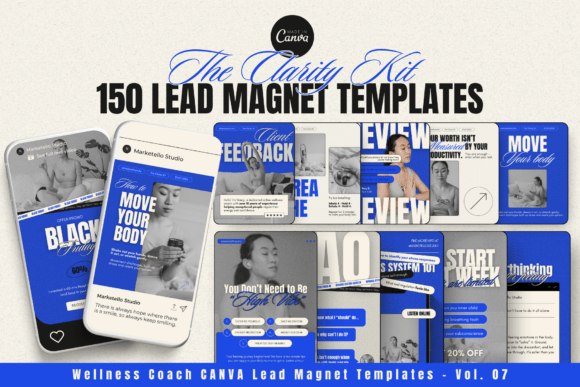
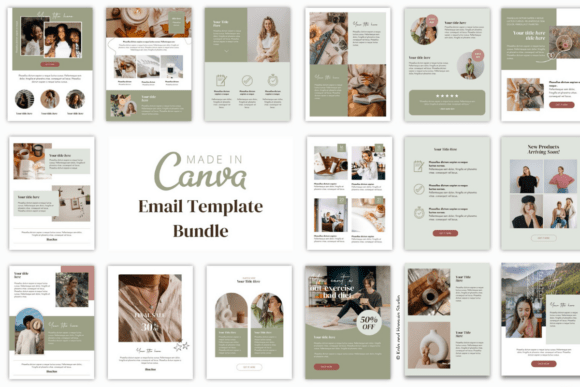
The core appeal of these templates lies in their balanced aesthetic. They are designed to be universally adaptable, meaning they avoid overly niche stylistic trends in favor of clean, modern typography and structured layouts. This approach ensures that the templates function as a solid brand identity foundation rather than a temporary decoration. You will find a mix of sans serif headers for impact and highly readable serif or sans-serif body text, ensuring readability across various devices. The visual hierarchy is pre-established for you; headlines are sized to draw attention, while call-to-action (CTA) buttons are positioned to encourage engagement without feeling aggressive.
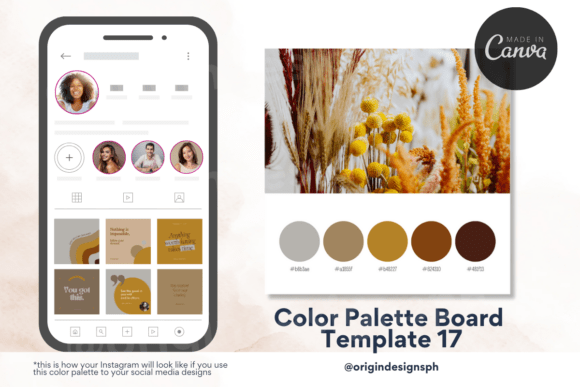
Because these are design assets built within Canva, they offer a level of creative freedom that static HTML templates cannot. You are not bound by a specific color palette. With a few clicks, you can adjust the hex codes to match your specific brand identity, swap out placeholder images for your own photography, and adjust the spacing to suit your content density. This flexibility makes them an ideal creative font and layout solution for businesses that need to maintain a consistent look across different campaigns—from a weekly newsletter to a high-stakes product launch.
Practical Application Across Industries
These Editable Email Marketing Canva Templates are not just for digital marketers. Their utility spans a wide range of industries and professions. For the entrepreneur or small business owner, these templates solve the problem of "what to send." The bundle typically includes specific layouts for crucial touchpoints like welcome sequences, abandoned cart reminders, and promotional announcements. This takes the guesswork out of the customer journey, ensuring that every automated email looks as polished as a manual campaign.
Bloggers and publishers can use the newsletter layouts to highlight recent articles, increasing click-through rates by presenting content in a digestible, magazine-style format. Crafters and hobbyists who sell on platforms like Etsy can utilize the promotional templates to announce sales or new inventory without needing to hire a graphic designer for every update. Even designers and brand strategists can leverage these as a starting point for client work, significantly reducing the production time for web design and editorial design assets.
Optimizing Your Workflow with Canva
The integration with Canva is the defining feature of this bundle. Canva has democratized design, making modern typography and layout accessible to non-designers. By using the free version of Canva, you can access these templates immediately upon download. The process is straightforward: you open the link, and the template loads into your Canva editor. From there, every element is editable. This is particularly useful for teams where multiple people might need to update content; the shared nature of Canva files makes collaboration seamless.
When working with these templates, consider the font pairing included. The designers have likely paired a bold display font for the headers with a neutral, highly legible typeface for the body copy. It is generally best practice to keep these pairings intact to maintain the visual hierarchy, but you can easily swap fonts if your brand guidelines require a specific premium font. Just ensure that the replacement font maintains the same "personality" (e.g., don't swap a serious corporate serif for a playful script font unless your brand voice is casual).
Maximizing Impact and Engagement
To get the most out of your Editable Email Marketing Canva Templates, focus on the content blocks rather than just the colors. These templates are designed with visual hierarchy in mind, using white space to guide the reader's eye. When you edit them, respect the breathing room between elements. Avoid the urge to cram too much text into a section meant for a headline and a short summary.
Furthermore, treat the CTA buttons as a critical part of your brand identity. Ensure the button color contrasts well with the background for accessibility, and keep the text action-oriented. Whether you are using these for social media graphics repurposed into email headers or for packaging design announcements, consistency is key. By reusing these templates for different campaigns, you train your audience to recognize your brand's visual language instantly, which builds trust and improves long-term engagement. This bundle is not just a collection of files; it is a system for professionalizing your digital communication.